VISTA Platform · Phone

Your phone, finally
part of the platform.

Calls ring right inside the app your front desk already runs. The moment a client calls, their whole history is on screen — a phone system built into your platform, for a fraction of what a standalone service costs.

The Screen-Pop Moment

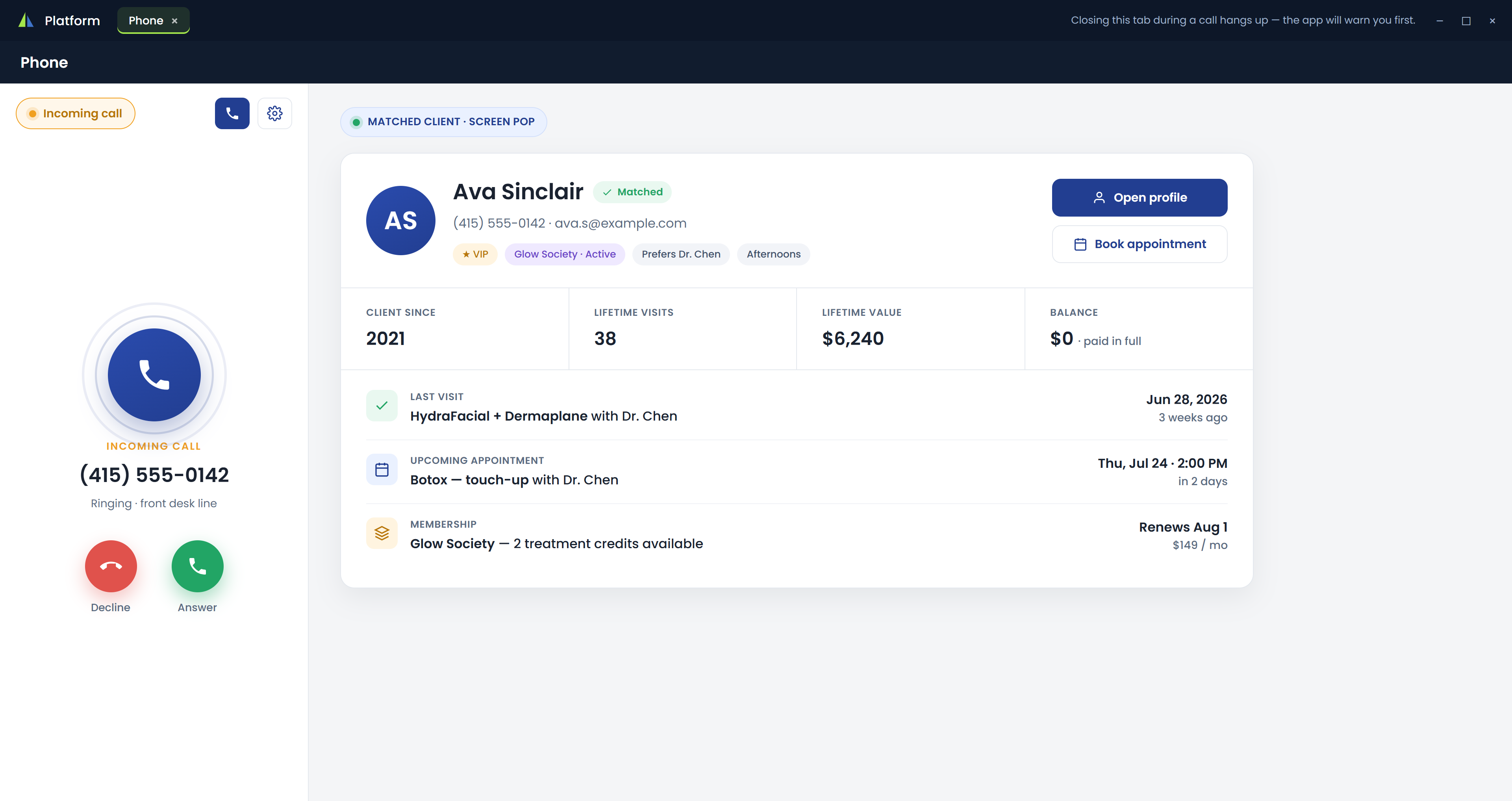
They call, and you already know them.

The second the phone rings, VISTA matches the number to the caller and pops their card on screen — name, membership, last visit, next appointment, lifetime value, and balance. Your team answers already knowing who's on the line, with the full profile or the booking calendar one click away.

  • Matched by phone number before you pick up
  • Membership, last visit, and next appointment in view
  • Lifetime value and balance at a glance
  • One click to the full profile or to book
🔒  platform.vistainterface.com/phone
The Screen-Pop Moment — VISTA platform screenshot
Visual Call Routing

Build your phone menu by dragging steps into place.

Lay out how calls flow on a visual canvas — a greeting, your business hours, press 1 to reach the team, press 2 to get a booking link by text, voicemail, and a separate after-hours path. Arrange the steps and it goes live. No hold music with a phone vendor required.

Greeting, business hours, and after-hours paths
Press 1 to reach the team, press 2 to text a booking link
Voicemail and routing steps you arrange by dragging
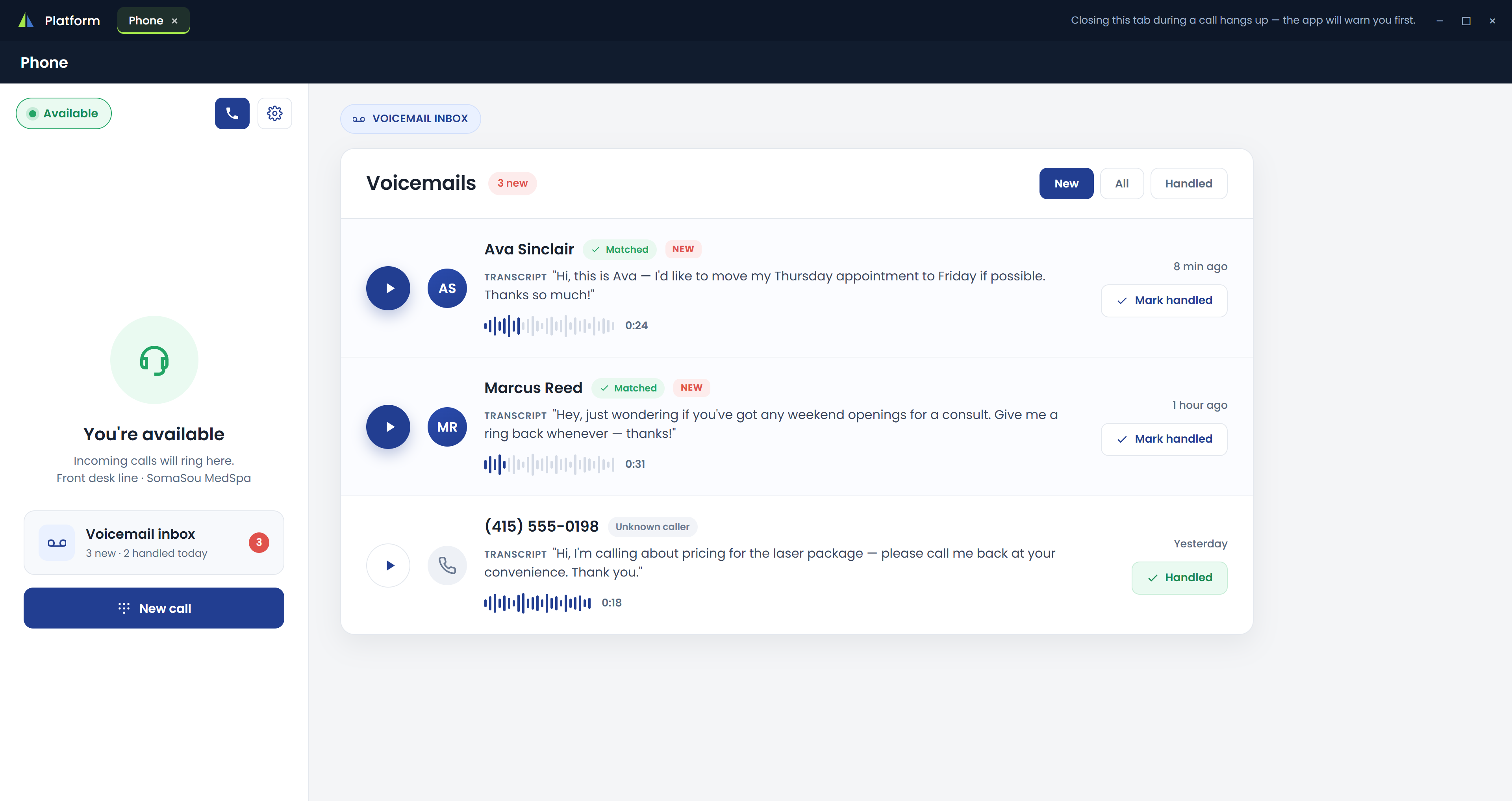
Voicemail to Inbox

Voicemail, transcribed and waiting in the Phone tab.

Every message a caller leaves is transcribed and dropped into the Phone tab — read it at a glance, play it back, and mark it heard or handled. Matched callers arrive with their name already attached, so a missed call becomes a two-line to-do instead of a mystery number.

  • Messages transcribed to text automatically
  • Play back, then mark heard or handled
  • Matched to the client, filtered New / All / Handled
🔒  platform.vistainterface.com/phone

Voicemail to Inbox — VISTA platform screenshot
Text-Back & Click-to-Call

A missed call texts back a booking link on its own.

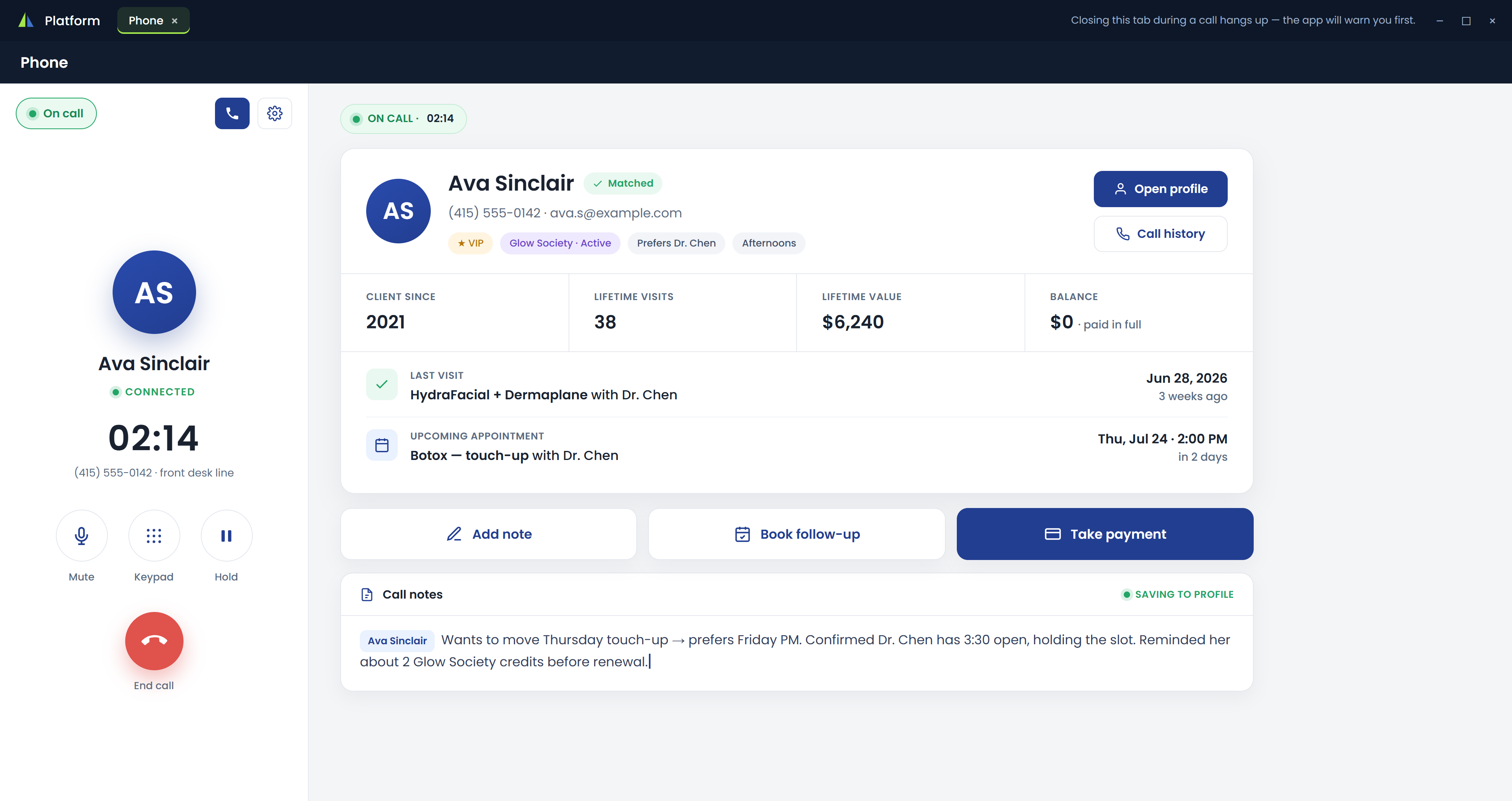
When a call goes unanswered, VISTA can text the caller a link to book — so the appointment doesn't slip away while the desk is busy. Calling out is one click from any client page, your medspa's name shows as the caller ID, and notes you take on the call save straight to the profile. A Phone report tracks answer rate, call volume, and missed follow-ups.

  • Missed calls auto-text the caller a booking link
  • Click-to-call from any client page — caller ID is your name
  • Call notes save to the profile as you talk
  • Phone report: answer rate, volume, missed follow-ups
🔒  platform.vistainterface.com/phone

Text-Back & Click-to-Call — VISTA platform screenshot
Built In, Not Bolted On

A phone that already knows your clients.

Most practices wire in a separate phone company — its own vendor, its own login, and hundreds of dollars a month. VISTA's phone is part of the same platform as your calendar, charts, and payments, so the instant a client calls, their whole history is already on screen. It's a simple add-on to your platform, at a fraction of the cost of a standalone phone service.

Caller history on screen the moment they call — the same live data as your charts
Runs in the VISTA desktop app your front desk already uses
A fraction of the cost of a standalone phone service

The phone lives in the VISTA desktop app your front desk runs. Your clients and providers get native apps too:

VISTA MedSpa Connect app icon
VISTA MedSpa Connect
Your clients' app
Download on theApp Store
VISTA Provider & Kiosk app icon
VISTA Provider & Kiosk
Provider + front-desk iPad
Download on theApp Store

Explore the rest of the platform

Hear your front desk, finally on one screen.

Book a 30-minute demo and we'll show a call coming in — the screen-pop, the routing canvas, voicemail in the inbox, and the text-back — all inside the platform you'd already be running. Elevate the Business of Beauty.