VISTA Platform  ·  EHR

A Real EHR. Built the Way
Aesthetics Actually Works.

Not a PDF generator. Not a forms tool bolted onto a booking system. A genuine electronic health record designed for every workflow in your aesthetic practice — and the only EHR that directly feeds your marketing automation.

They weren't built
for what you do.

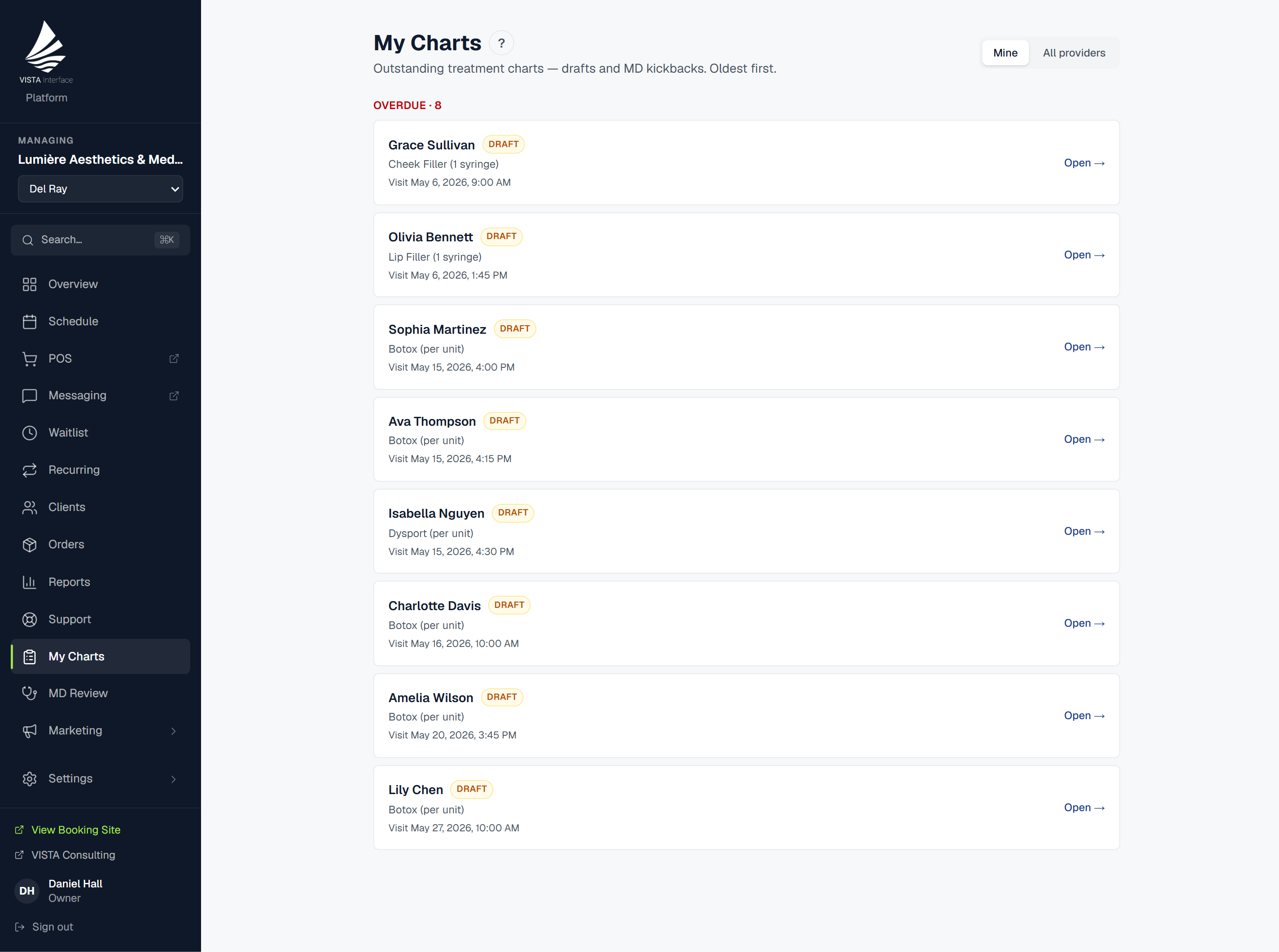
Generic EHR platforms were designed for primary care. They don't understand injection zones, laser settings, or treatment series. So most medspas end up with a form tool that kind of works, a charting app that was never meant for aesthetics, and zero connection between what the provider documents and what the practice markets. VISTA EHR was built from scratch for the way aesthetic practices actually work — clinical depth, medspa-specific workflows, and direct integration with every other system your practice runs.

Templates built for
every service you offer.

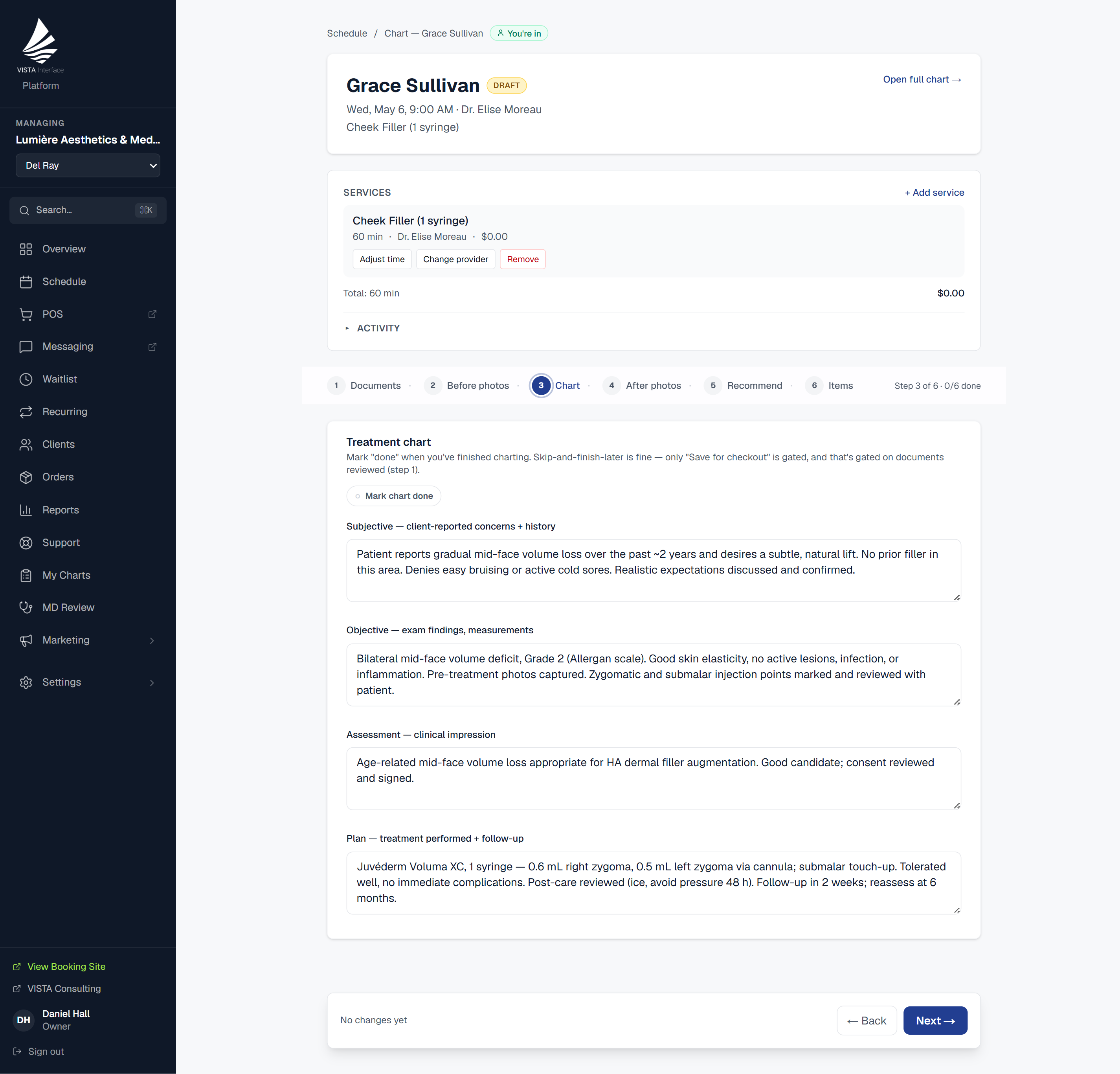
VISTA EHR lets you build custom SOAP note templates for each service on your menu — separate templates for Botox, filler, laser treatments, facials, microneedling, and any other service you offer. Providers aren't filling out a generic form; they're completing a structured record designed for exactly what they just did.

  • Custom SOAP templates per service — not one-size-fits-all
  • Conditional intake forms with 8 question types including section headers, date fields, and multi-select
  • Intake answers carry into the chart — no re-entering patient history
  • Short descriptions and rich long-form treatment notes, separately structured
  • Providers complete charts from the floor in minutes, not at end of day
SOAP Note — Botox
Sarah M.  ·  Today 2:15 PM
Draft
Subjective
Chief complaint / patient goals
Softening forehead lines and crow's feet. Wants natural result.
Objective
Areas treated
Frontalis (20u), Glabella (25u), Crow's feet bilateral (24u)
Total units administered
69 units — Botox Cosmetic
Assessment & Plan
Provider notes
Good muscle response. Follow up in 2 weeks. Recall at 90 days.
🔒 Sign & Lock
Send for MD Review

Custom SOAP template — provider completes in minutes.

Before & after,
built into the chart.

Photo capture lives inside the chart workflow — not in a separate app, not emailed to yourself, not stored in a camera roll with no patient context. Providers capture before and after photos during the appointment, they attach directly to the chart record, and they're there the next time that patient comes in.

  • Photos captured and attached directly within the chart
  • Full patient photo history accessible on every subsequent visit
  • Photo deletion tracked in the HIPAA audit log
  • Accessible from VISTA Mobile on the floor — no desk required
📷
Before
📷
After
Photo History
+4

Replace with actual before/after screenshots

MD review queues
and sign-and-lock charts.

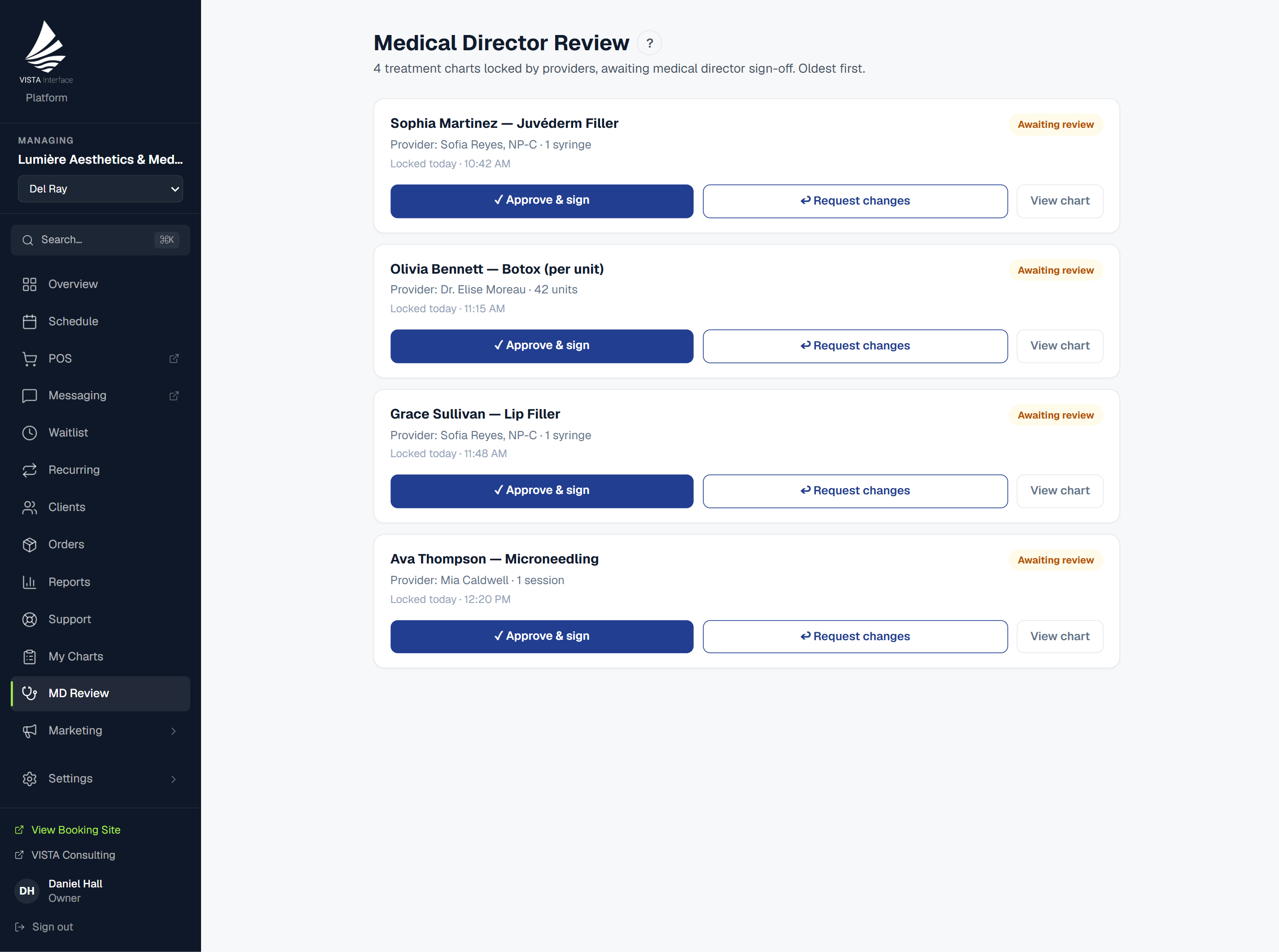
For practices with medical directors or supervising physicians, VISTA EHR includes a structured review workflow. Providers submit charts for MD review before or after treatment. The MD can approve, request changes, or kick back the chart with notes. Once locked, no edits are possible — the record is permanent.

  • Providers submit charts to MD review queue from within the record
  • MD approves, comments, or kicks back with notes
  • Sign-and-lock creates an immutable record — no post-lock edits
  • All review actions time-stamped and attributed to the provider or MD
  • Full HIPAA audit trail on every chart view, edit, and lock event
HIPAA Compliance Built In
Every chart view, edit, photo upload, photo deletion, lock, and MD action is logged to a permanent audit trail. No manual compliance work required — the system handles it automatically.
MD Review Queue
3 pending
Sarah M. — Botox
2:34 PM
Provider: Dr. Chen  ·  69 units administered
✓ Approve
↩ Request Changes
James R. — Filler
Approved
Locked 1:18 PM  ·  MD: Dr. Williams
Audit trail active  ·  All actions logged & timestamped

Products recommended
from the chart step.

At the end of their SOAP note, the provider selects any products they're recommending for the patient — a post-treatment serum, an SPF, a specific skincare line. Those recommendations don't stay in the chart. They flow automatically to three more places: the patient's booking portal profile, their VISTA Connect app, and a personalized follow-up email that fires 24–48 hours after their appointment.

  • Provider selects recommended products during chart completion
  • Surfaces as "Recommended for You" in the booking portal
  • Appears in the client's VISTA Connect app home screen
  • Auto-triggers a personalized product follow-up email 24–48 hours later
  • One charting action drives three additional revenue touchpoints
Step 5 of Chart — Product Recommendations
SkinCeuticals C E Ferulic
Added
EltaMD UV Clear SPF 46
Added
🛒
Booking
Portal
📱
VISTA
Connect
📧
Follow-up
Email
One chart action → three revenue touchpoints

Your charts power
your rebooking machine.

No other EHR on the market does this. When a provider completes a chart, that record tells the marketing system exactly what was treated, when, and at what interval to follow up. The result: every completed chart automatically arms the next rebooking campaign.

1
📋
Provider completes SOAP chart
2
⏱️
System records service & treatment date
3
📧
Recall campaign fires at the right cadence
4
💰
Client rebooks — revenue attributed

Every service has its own recall cadence — Botox at 90 days, HydraFacial at 30, microneedling at 42 — whatever interval you set. The moment a provider locks a chart, that client enters the recall window automatically. No manual list management. No guessing who's due.

VISTA EHR vs.
typical medspa charting software.

Most EHR tools built for aesthetics handle the basics. VISTA handles the basics and connects every chart to the rest of your business.

Feature
VISTA EHR
Typical Medspa EHR
Custom SOAP templates per service
Yes
~ Limited
Conditional intake logic (8 question types)
Yes
No
Before & after photo capture in chart
Yes
~ Varies
MD review queue with sign-and-lock
Yes
~ Limited
HIPAA audit trail on all chart events
Yes
Rarely
Provider product recommendations from chart
Yes
No
Chart data feeds marketing automation
Yes — natively
No
Accessible from native mobile app on the floor
VISTA Mobile
No
Integrated with booking, POS, and billing
Fully native
Third-party sync

See VISTA EHR in a live demo.

We'll walk you through a real chart — from intake form to SOAP note to sign-and-lock — and show you exactly how it connects to your marketing and booking systems.